
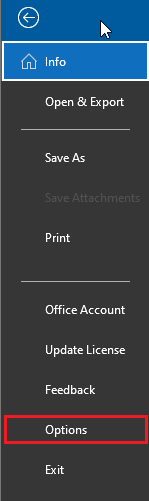
In Outlook, click on File, a menu will appear, and then select Options:
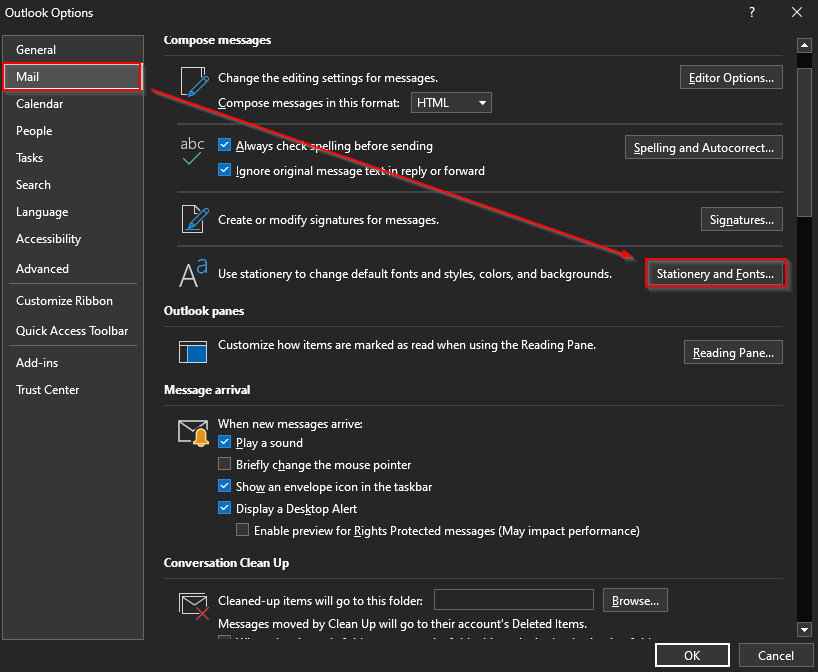
The Outlook Options menu will appear, on the left-hand side, select Mail, and then navigate to Stationery and Fonts.
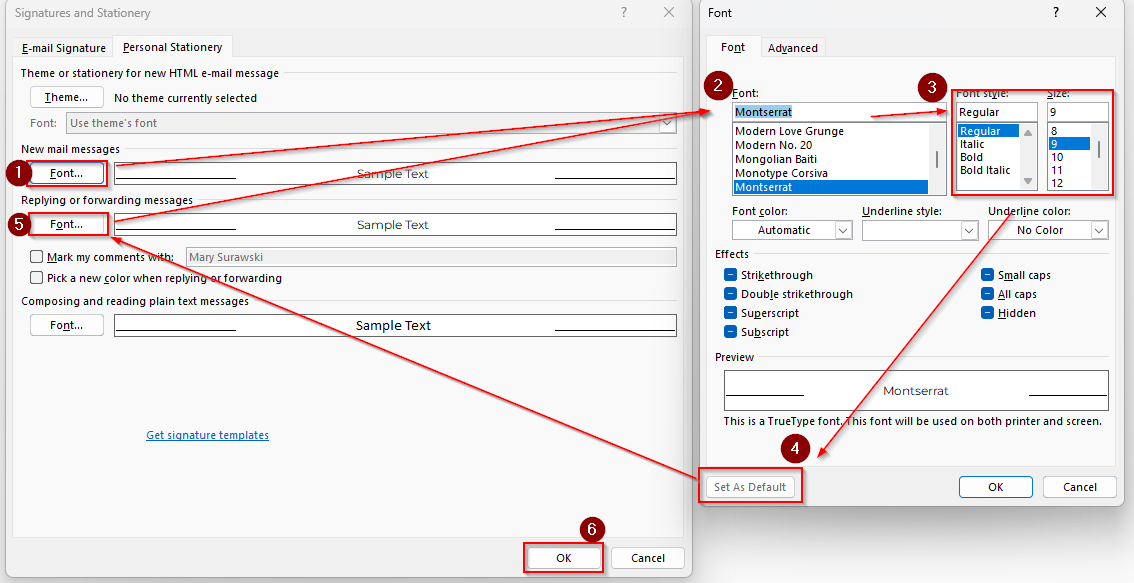
Another window will appear, and this is where you can set your emails to default is a specific font and size.
Remember to set the font for New messages, and Replies.
Done!