- Go to Format > Font > Font. You can also press and hold + D to open the Font dialog box.
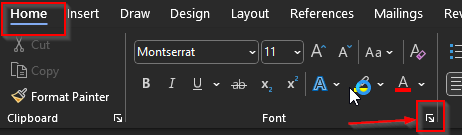
- Select the font and size you want to use.
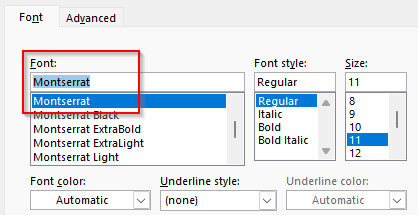
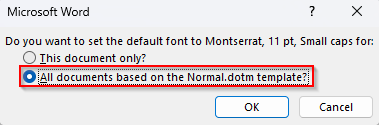
- Select Default, and then select OK.

- Select OK again, and when you open a new file, it should default to Montserrat.

Modified on: Fri, 3 Oct, 2025 at 7:45 AM
Did you find it helpful? Yes No
Send feedback