1. In Excel menu, click File > Options.

2. General > When creating new workbooks
In the Default font and Font size boxes, select a new font and font size.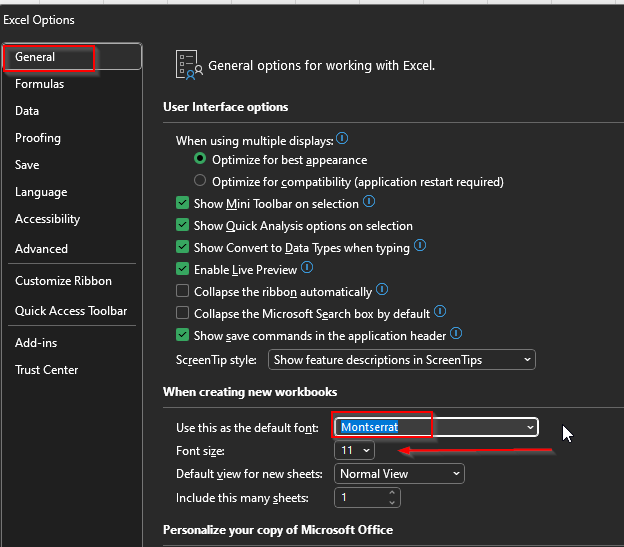
3. Click OK.
4. Close and restart Excel.

Modified on: Fri, 3 Oct, 2025 at 7:45 AM
1. In Excel menu, click File > Options.
2. General > When creating new workbooks
In the Default font and Font size boxes, select a new font and font size.
3. Click OK.
4. Close and restart Excel.
Did you find it helpful? Yes No
Send feedback