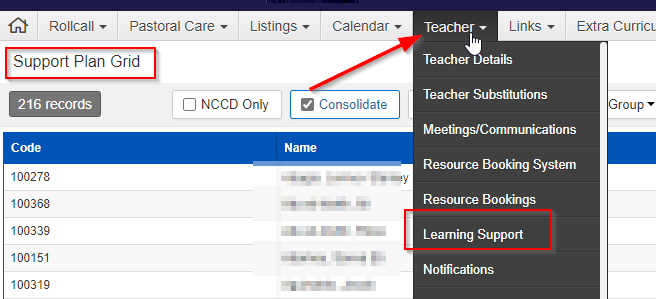
1. Find the student for whom you want to generate a notes report in Support Plan Grid
Teacher> Learning Support
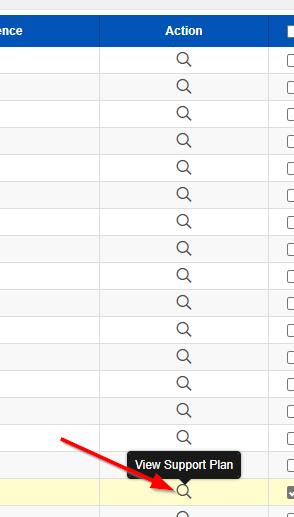
2. Click on Action
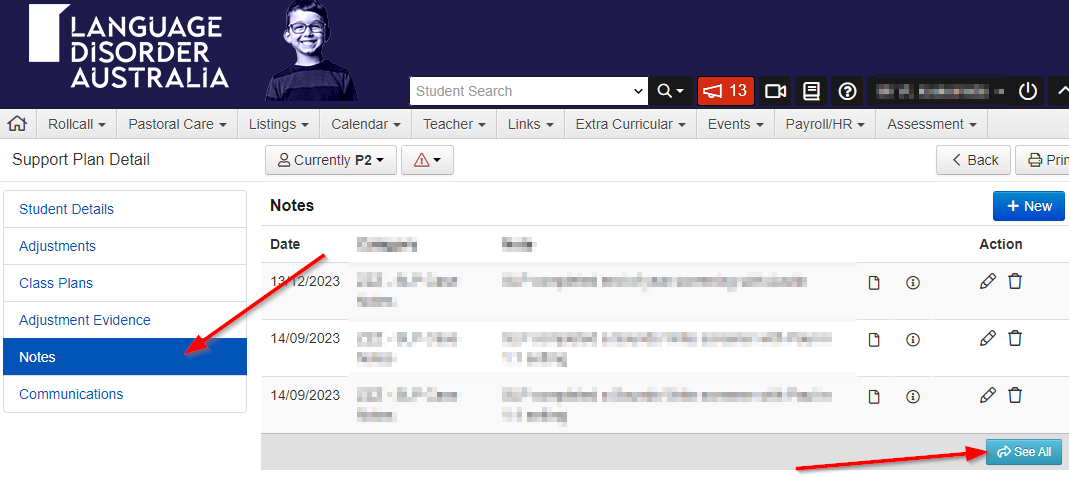
3. Click on Notes>See All
4. Select Category
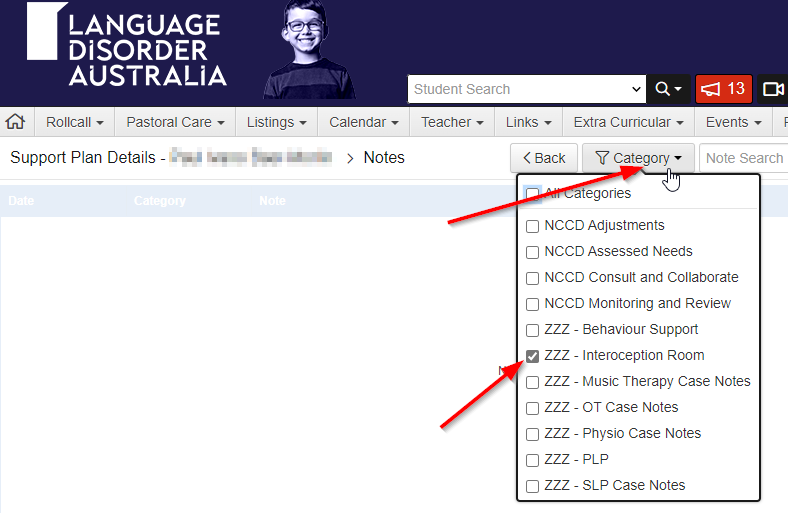
5. Next Print


Modified on: Fri, 26 Sep, 2025 at 11:27 AM
Did you find it helpful? Yes No
Send feedback