
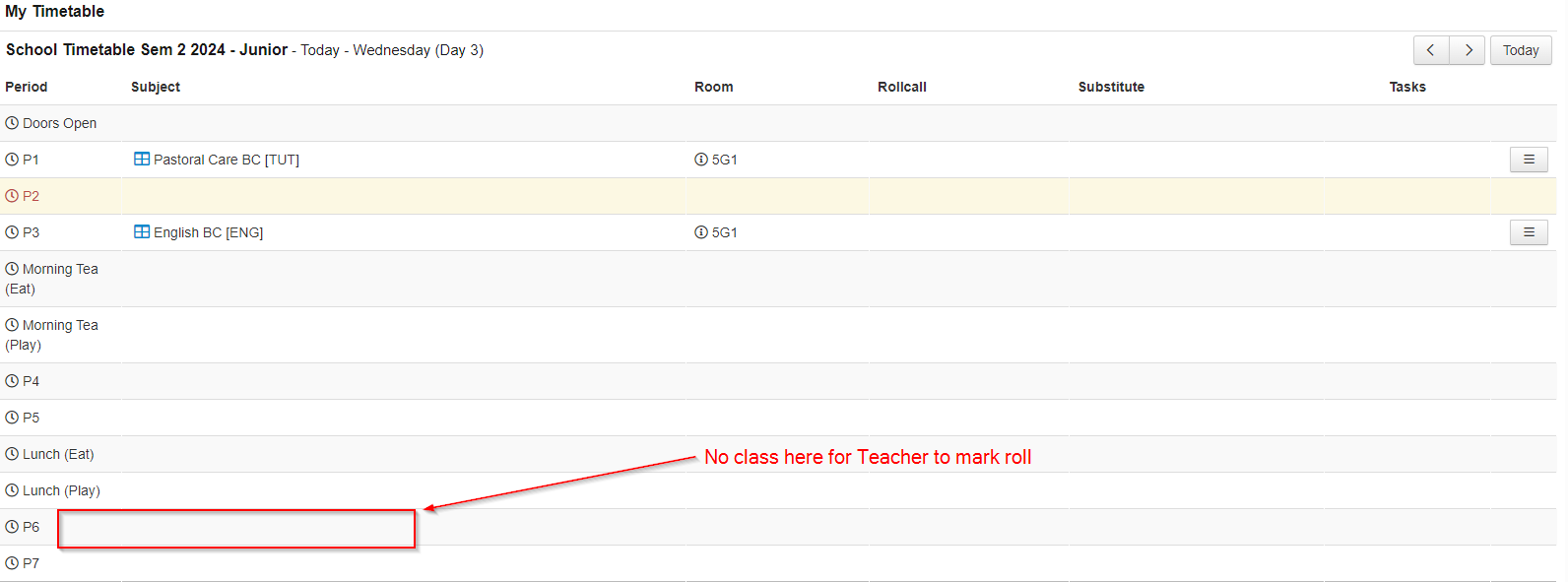
! IMPORTANT !
This should only be done if the class has already been set up.
These steps are only to add the ALREADY CREATE class to a teacher's timetable.
Click here to check if a class has already been setup.
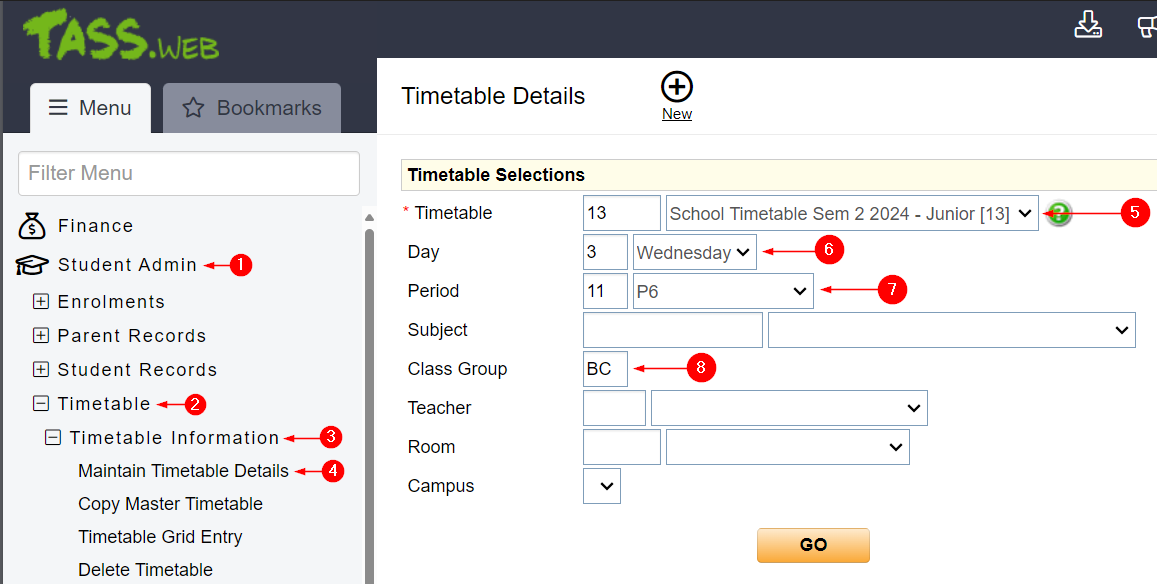
In Tass.Web go to
1. Student Admin
2. Timetable
3. Timetable Information
4. Maintain Timetable Details
From here, we need to update the filter so we can add the
5. Make you select the correct category either Junior School or Senior School.
Optional - You can narrow it all down further filling out 6/7 and 8 however, you can just hit go.
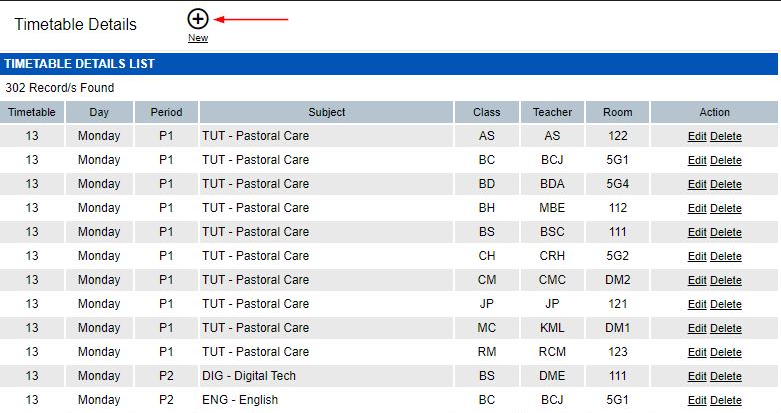
You will something similar to the above.
Press New.
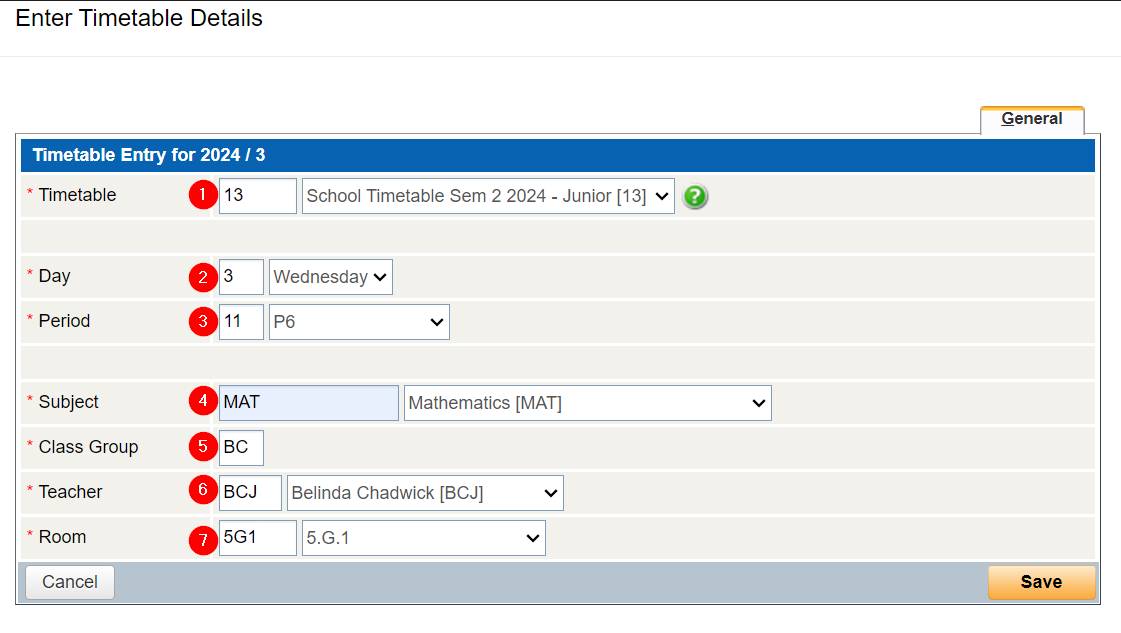
You will need to fill each box.
Use the information from when you checked if a class had already been setup.
Press save.
Ghost onto this Teacher's Teachers Kiosk account, and you will see that this class has now been added.
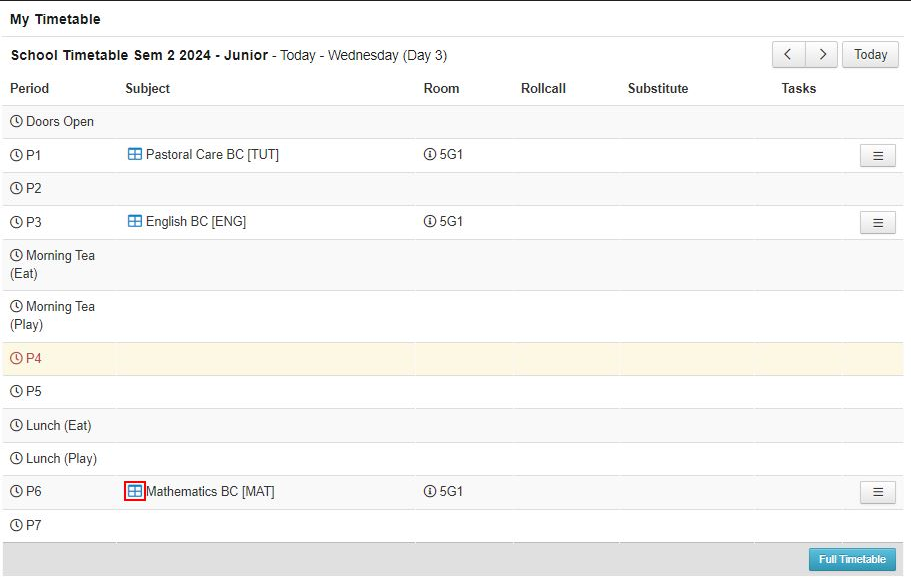
You can check and make sure the class is also correctly set up will all the correct students (or if it’s the wrong class) but clicking on the gallery.