
This is to help confirm if a class has been set up in the back end of TASS.
This is so we can then add them to a teacher's timetable.
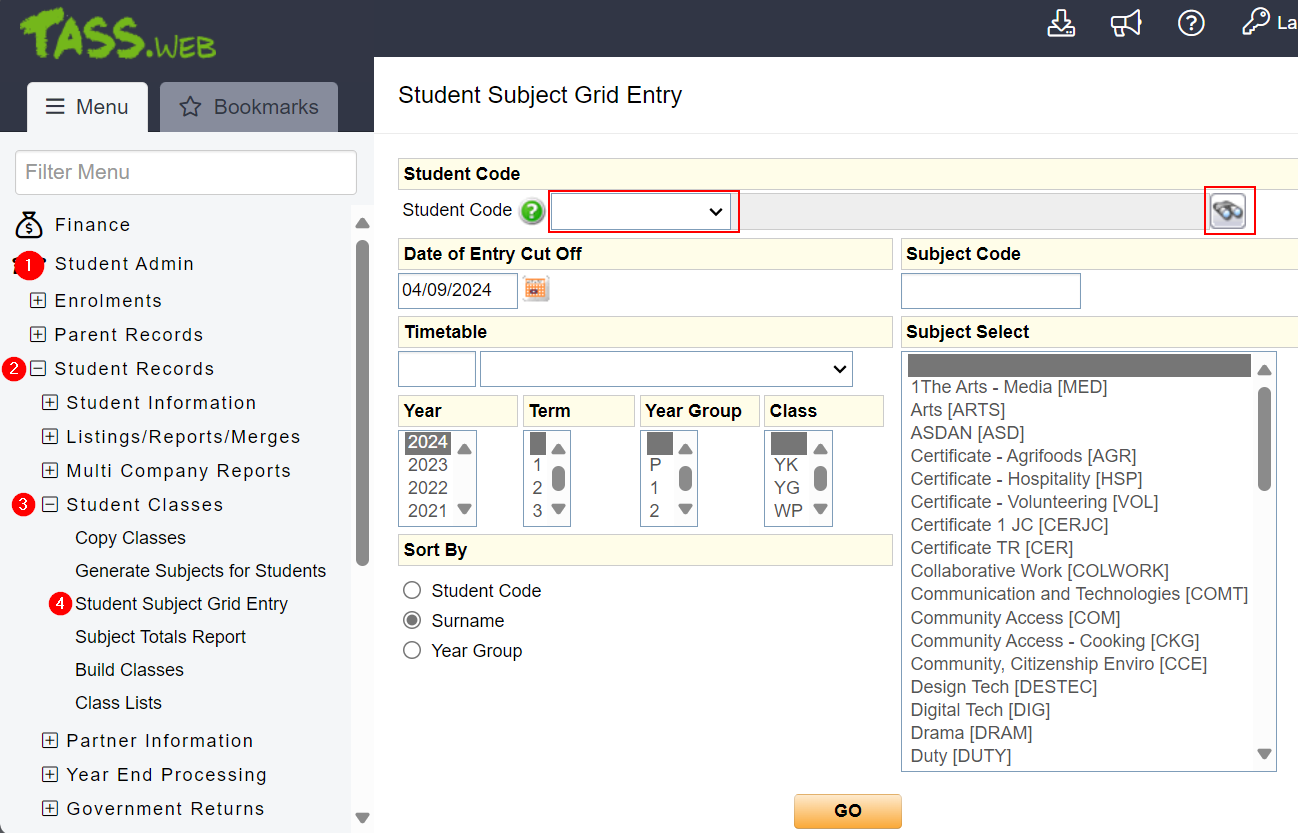
In the Tass.Web menu and for
1. Student Admin
2. Student Records
3. Student Classes
4. Students Subject Grid Entry
5. You can type their Tass number in if you have it on hand, or search the student manually by first name and/or last name.
6. Hit "GO" and this will only the student's assigned classes and their subjects.
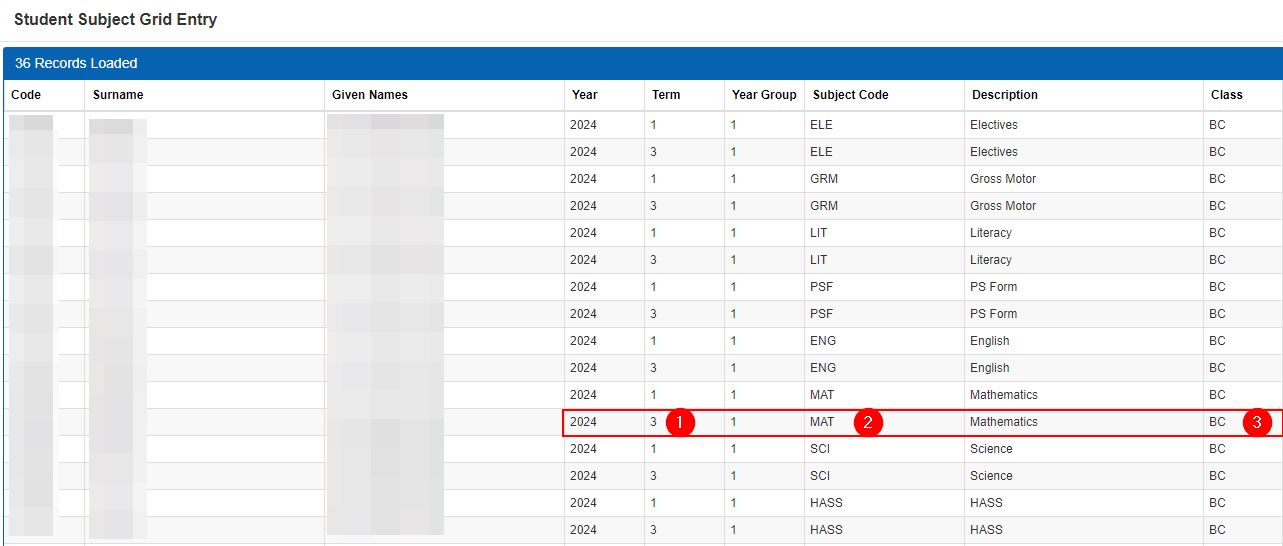
You will be taken to this Student's subject Grid. It shows all classes/subject this Student is enrolled into.
You can confirm the existence of class by confirming the correct Year, Term(1), Subject Code(2) and the Class(3), is listed in this grid.
I strongly recommend you take a screen shot of this information as you will need to add the precises same details of the class later.
You are now ready to add the class to the Teacher's Timetable.