In your Teams window, navigate to the top right of the window, near your photo.
Click on the 3 Dots to open the drop-down menu, the click on Settings.
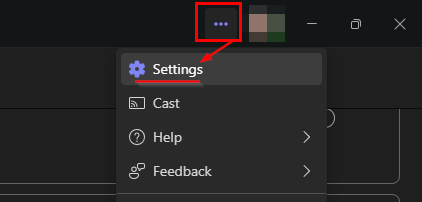
This will take you to the settings menu.
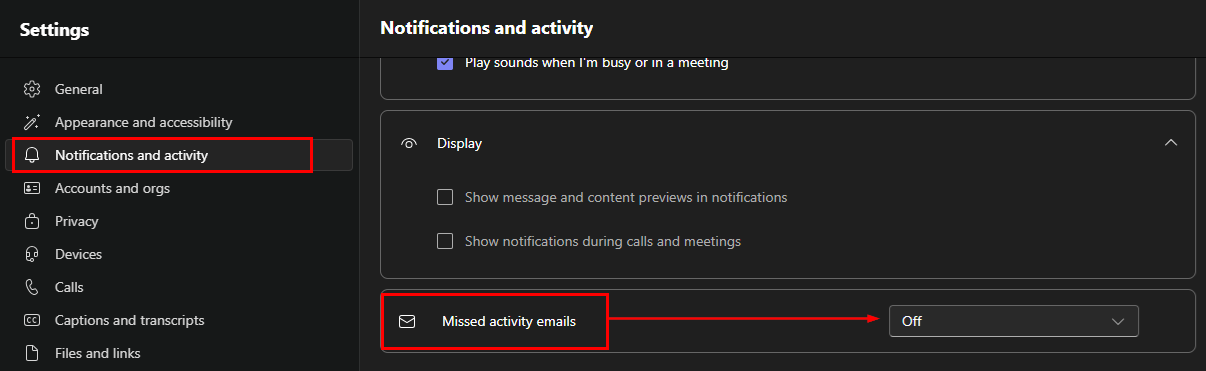
To the left, click on Notifications and activity.
Then on the right-hand window, locate "Missed activity emails".
Select OFF, and this will stop the notification emails being sent to you.