
Open the Teacher Kiosk in from the landing page.
Use the top menu to go to Payroll/HR -> My Payroll/HR
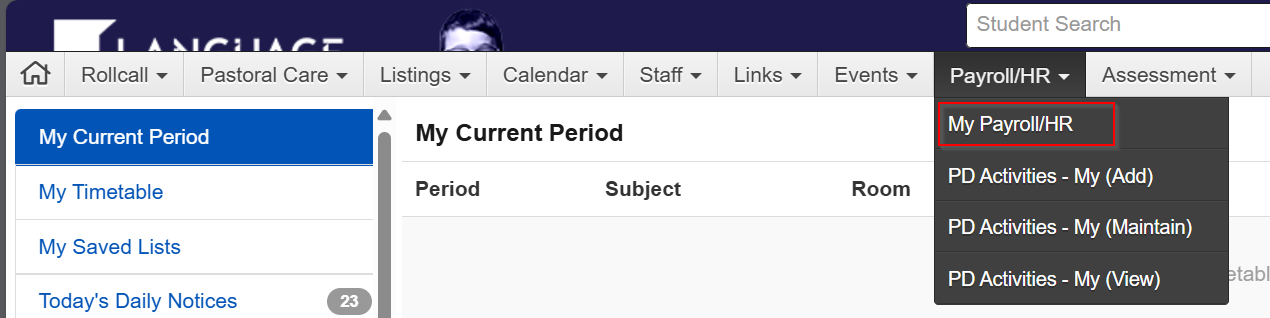
On the right-hand side menu, click on Timesheets, and select the blue button that says "+New Timesheet Entry".

The below will appear.
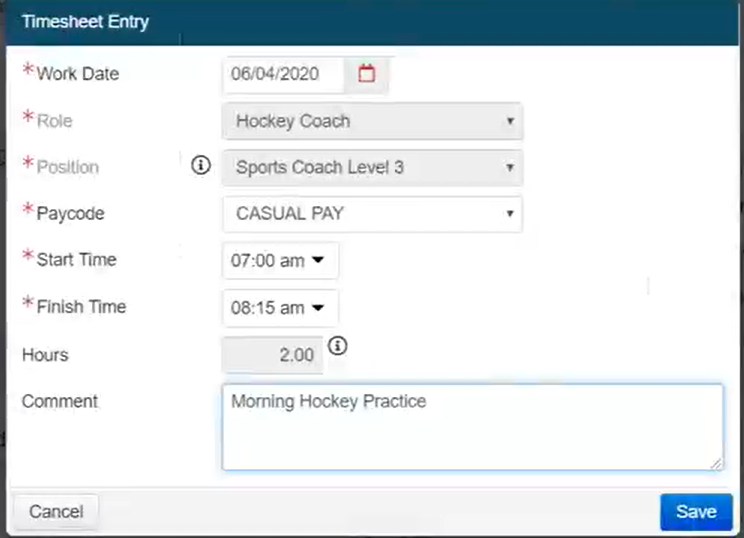
Enter all required details and select save.
Once you have completed the timesheets please select "Submit Timesheet"
This will then automatically notify your line manager that a timesheet has been submitted for approval.