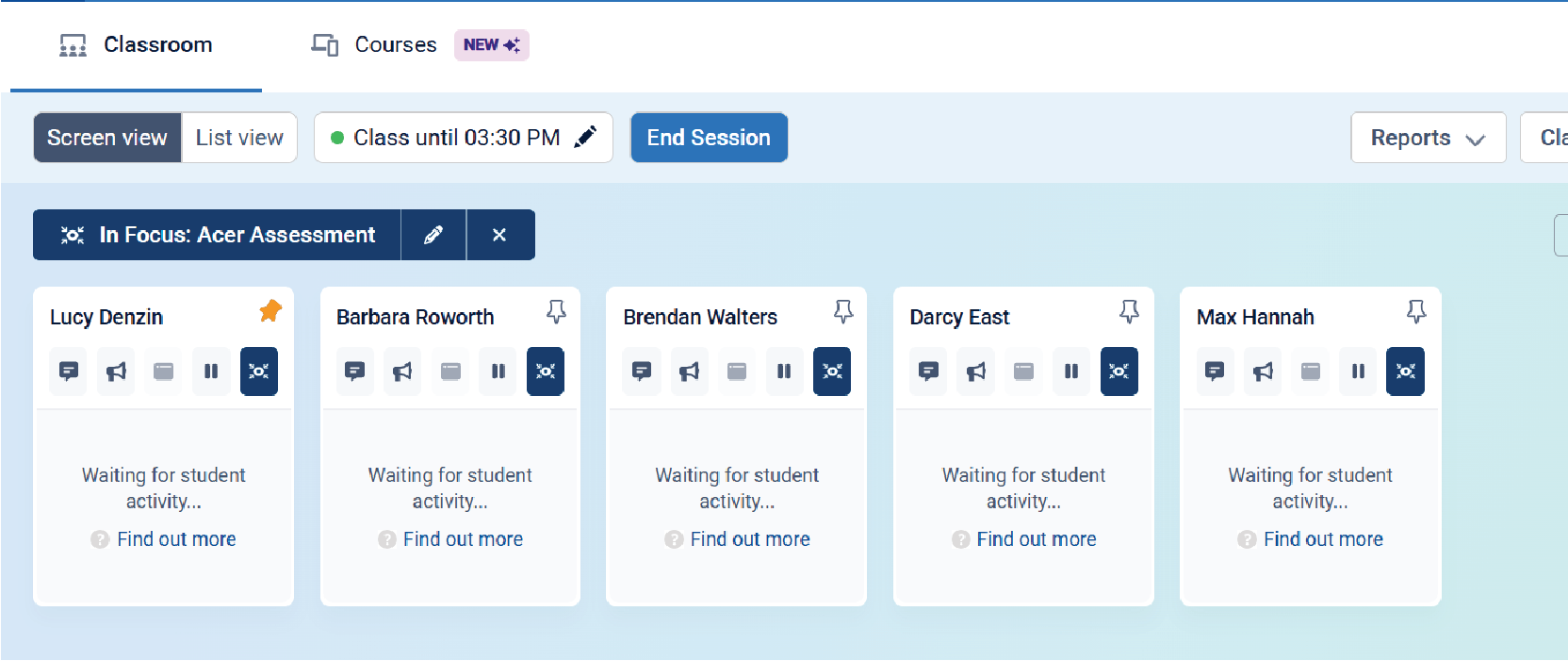
1. Click on Class Tools. Select focus in the drop-down menu.
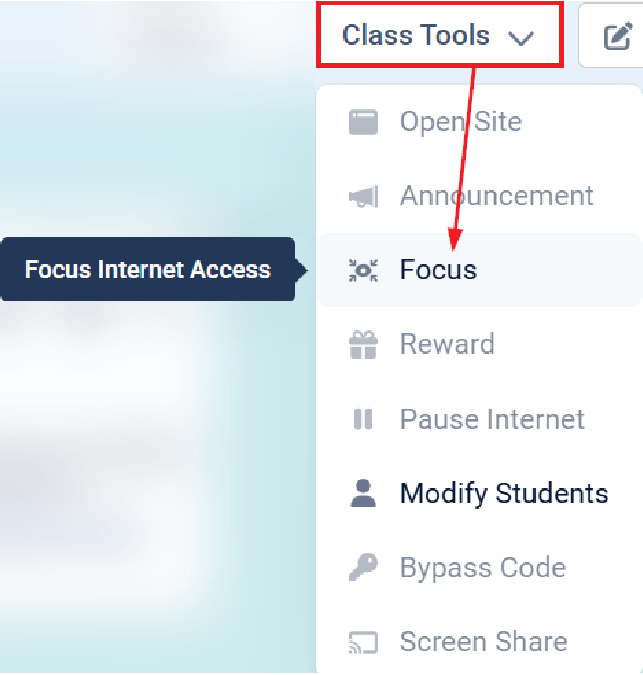
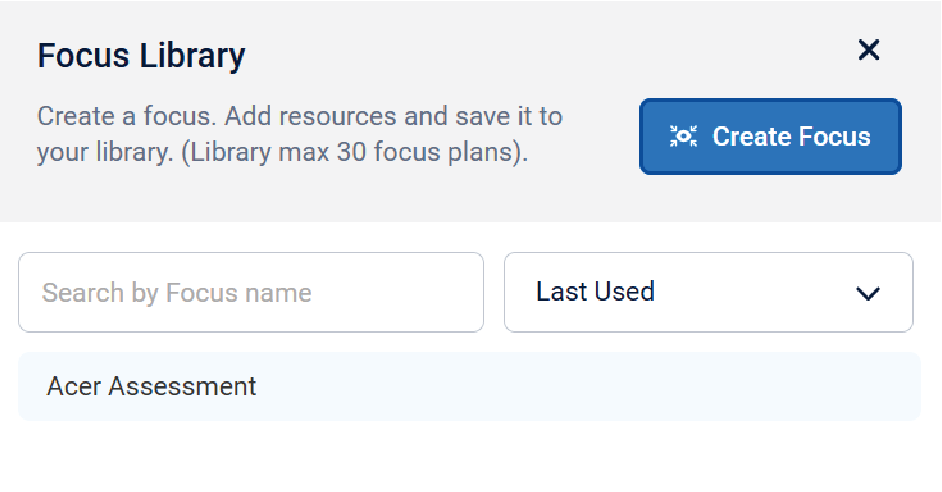
2. A new window will open.
Any premade Focus Sessions will appear in the Focus Library, or you can create a new one by clicking Create Focus
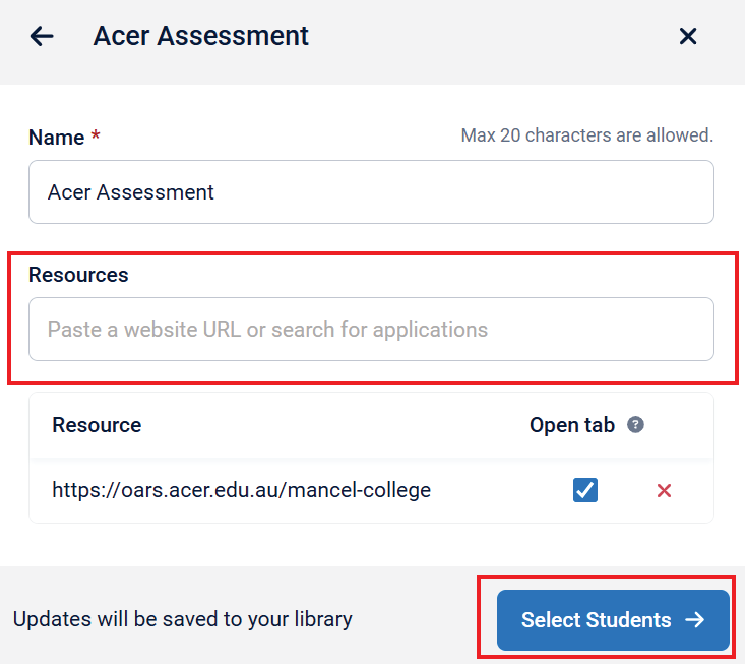
3. Give your Focus Session a name. Type or paste the website(s) you want students to access.
You can add more than one site. Once you're satisfied, click Select Students.
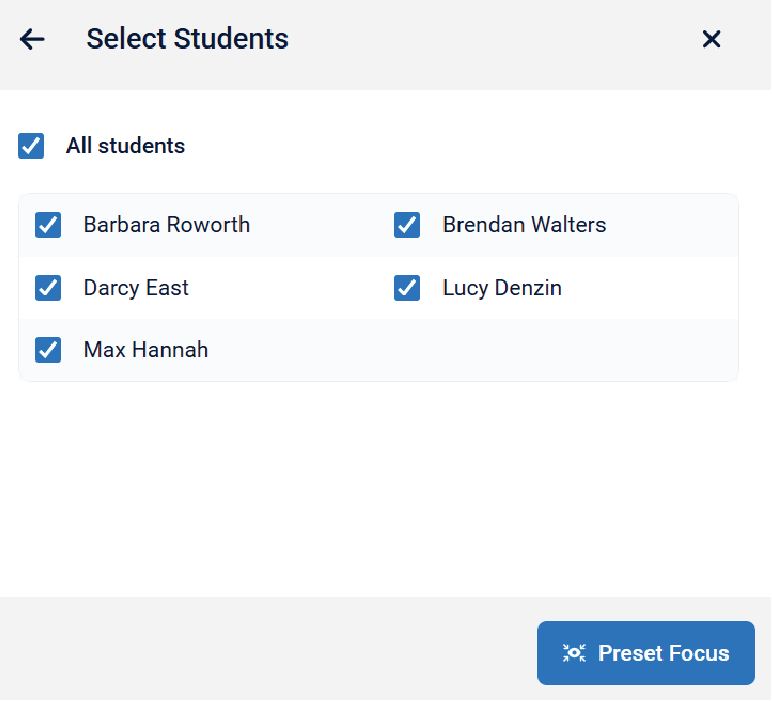
4. Select either your whole class or specific students.
Click on Preset Focus to start the session.
5. Once activated, the selected website(s) will open on the students' laptops.
They won’t be able to access any other websites during Focus Time.
Focus time can be turned off anytime by clicking it off.