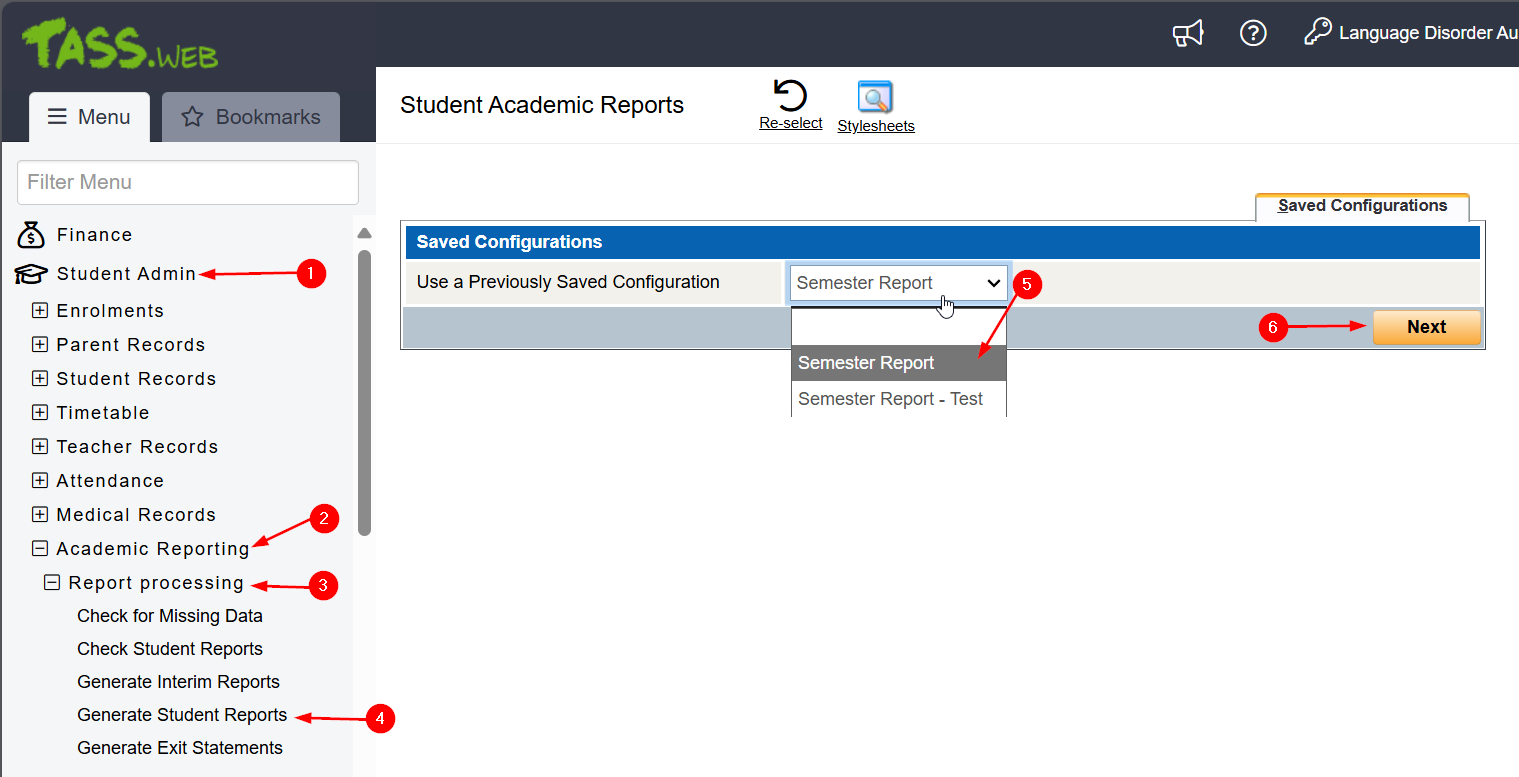
In Tass.Web navigate:
- Student Admin > Academic Reporting > Report Processing > Generate Student Reports.
- In the right-hand window, select Semester Report, from the drop-down menu.
- Then click next.
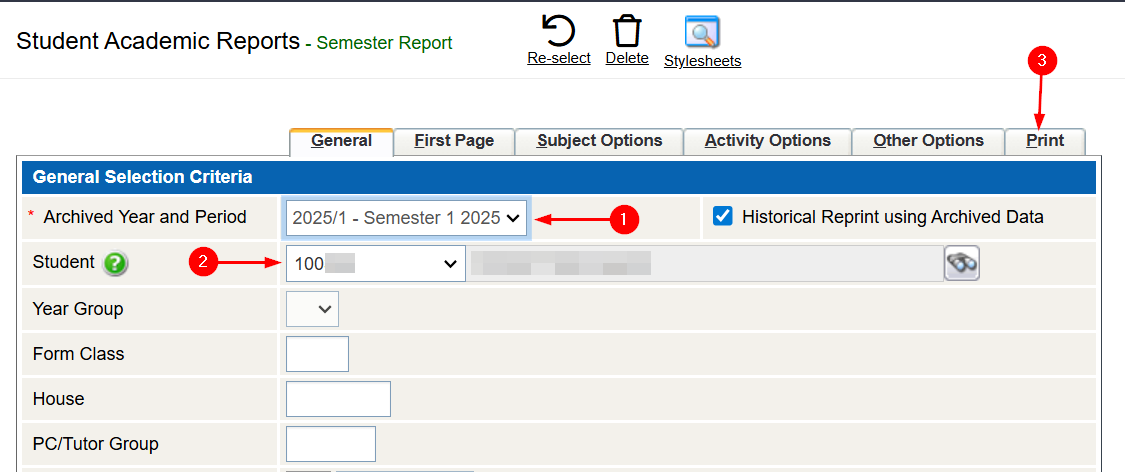
- Select the archived year and semester from the drop-down menu.
- Search the student.
- Then navigate to the Print tab.
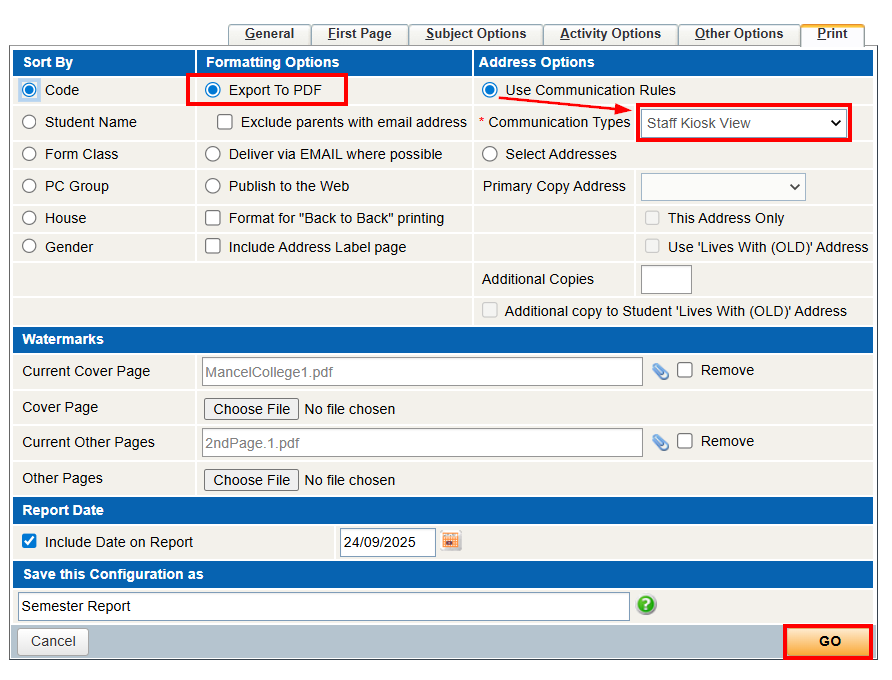
- Make sure in the Formatting Options and make sure "Export to PDF" is selected.
- And in Address Options, select "Use Communication Rules", and "Staff Kiosk View".
- Press Go.
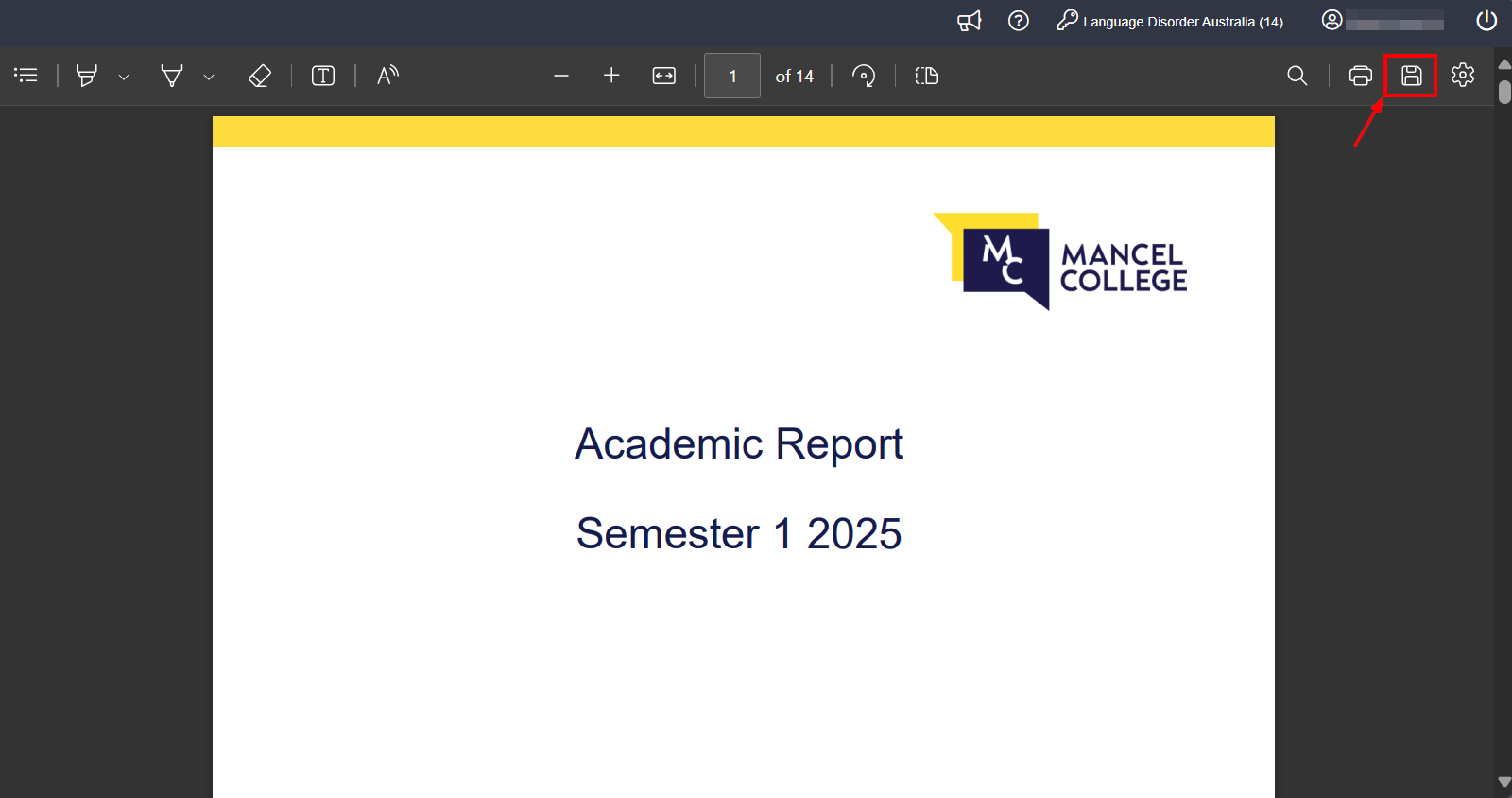
- The Report should populate.
- Be sure to save the file, PDF should be the default file format.