
Log into Staff Kiosk
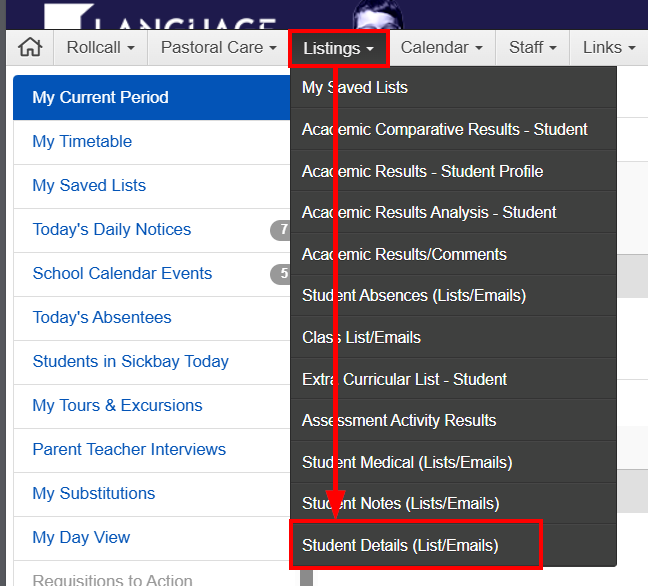
- Using the menu navigate: Staff Kiosk -> Listings -> Student Details (List / Emails)
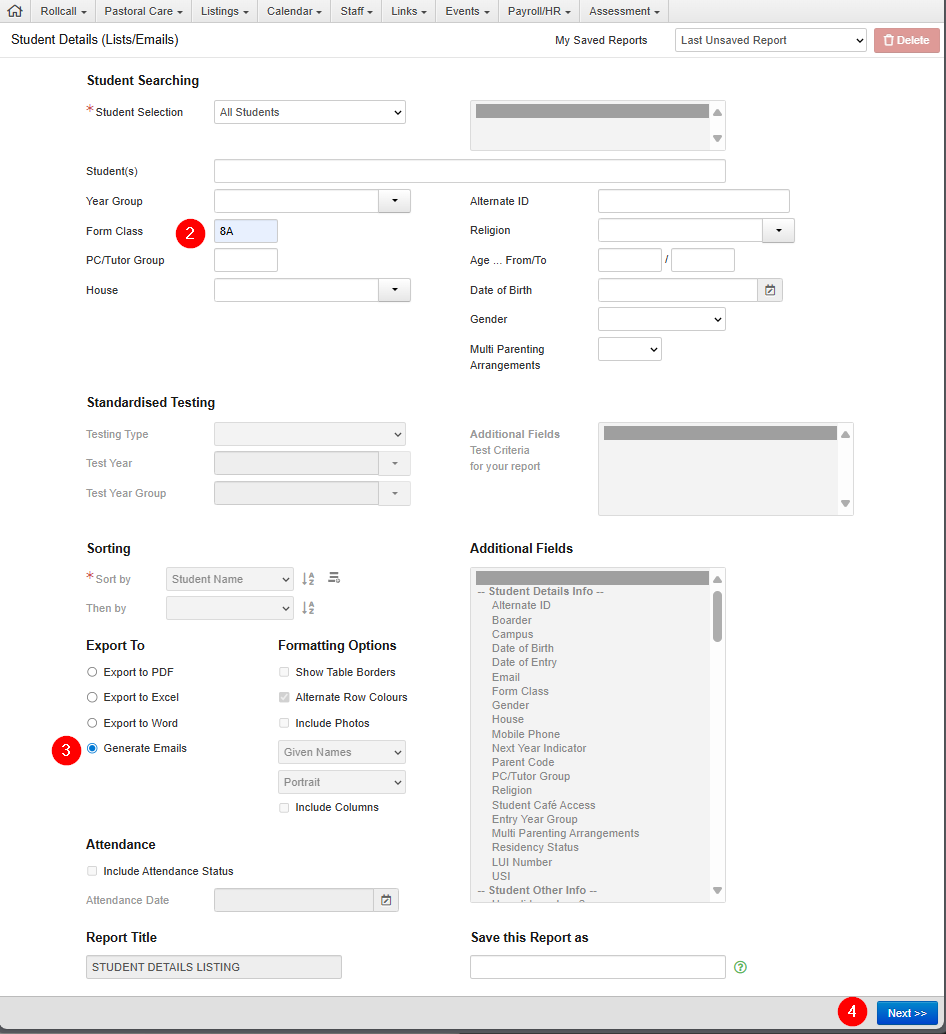
- Enter Form Class (eg. 8M)
- Export to "generate Emails
- Press Next
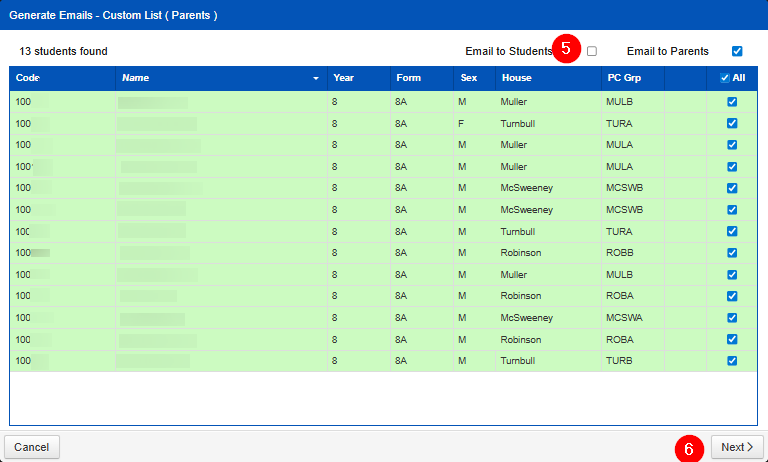
- Uncheck student box (Email to Parents will auto select)
- Next
- Fill in all fields with a red Asterix *
- Choose communication category
- SEND