
SharePoint "Alert Me"
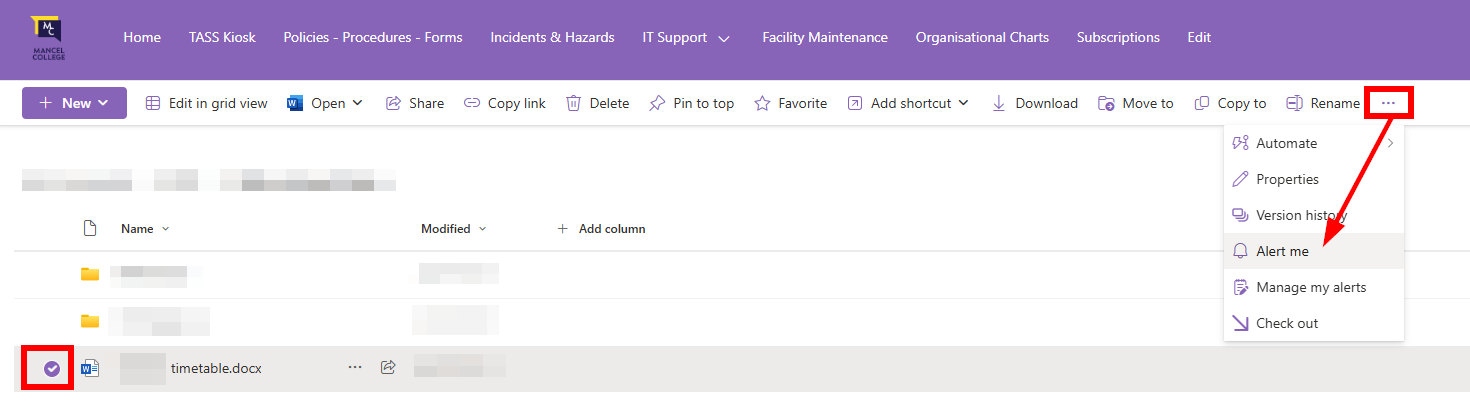
- Go to the document library where the Excel file is stored.
- Select the file (checkmark next to it).
- In the toolbar, choose ... (More) > Alert Me.
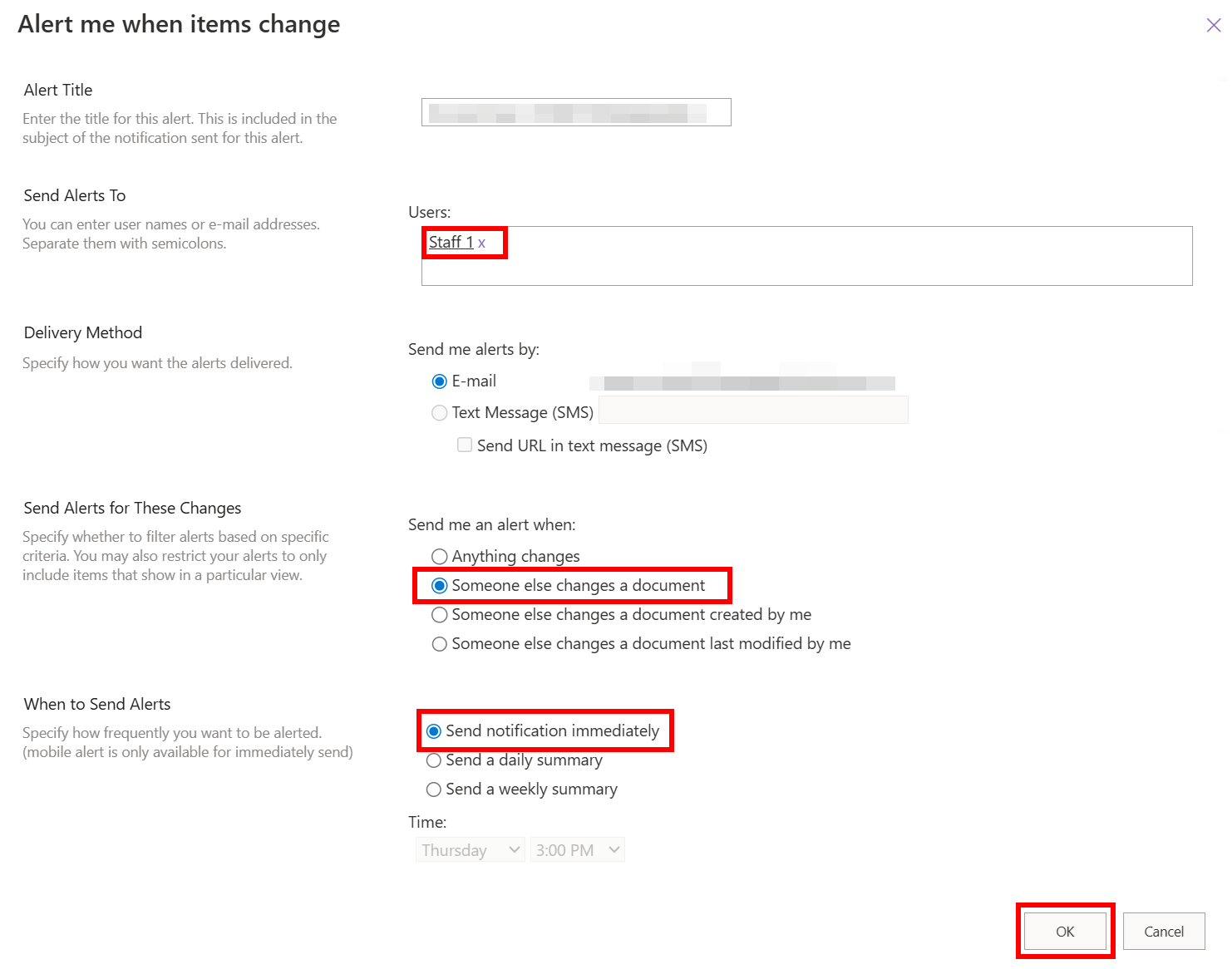
Configure:
- Send Alerts To → Your email (or multiple people).
- Change Type → When new items are added, modified, or deleted.
- Send Alerts for These Changes → All changes, or only when someone else changes it.
- Delivery Method → Email
- Save. You’ll now get email notifications when changes happen.
*This feature will be phased out by July next year - We can implement a Power Automation to send alerts.