
Disable Ligatures in Word
1. Open your Word document.
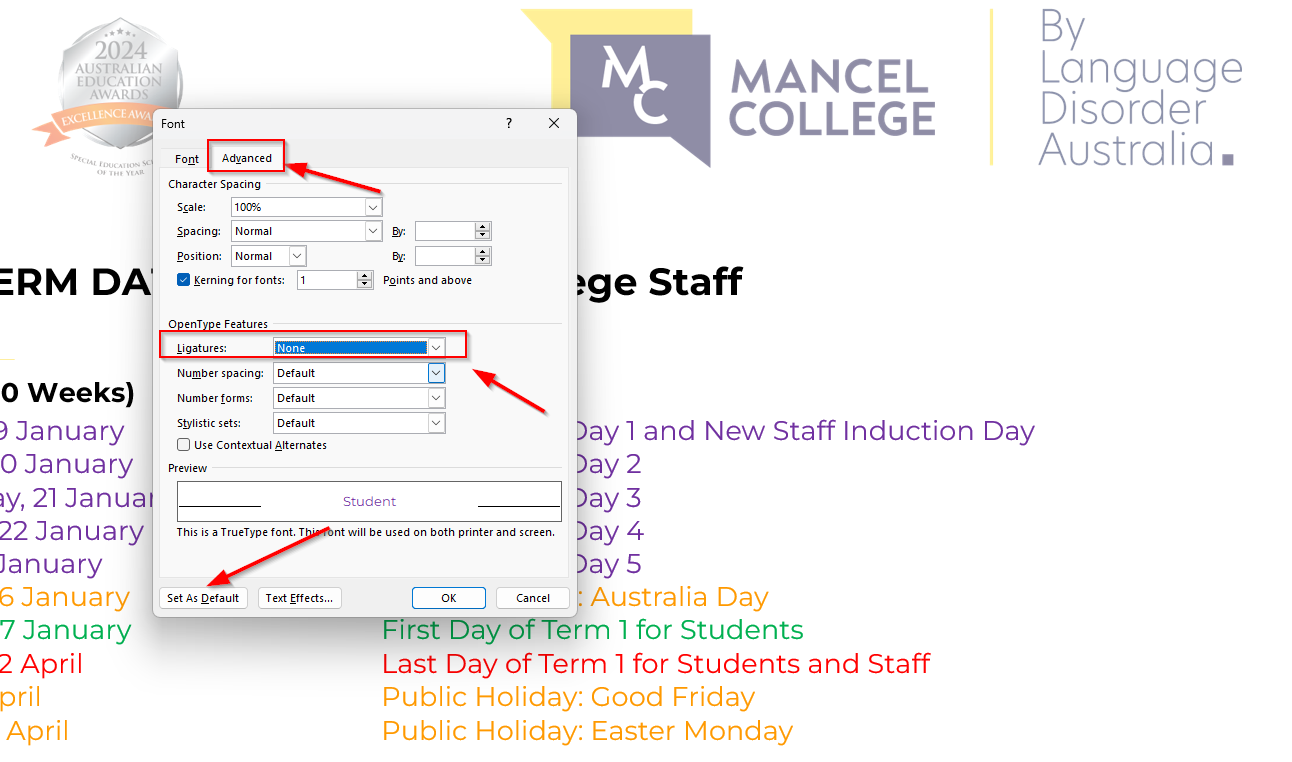
2. Press Ctrl + D to open the Font dialog.
3. Click on the Advanced tab.
4. Under Ligatures, set it to None.
5. Save this as a new default font set.
6. Select All documents based on the Normal template? Click OK
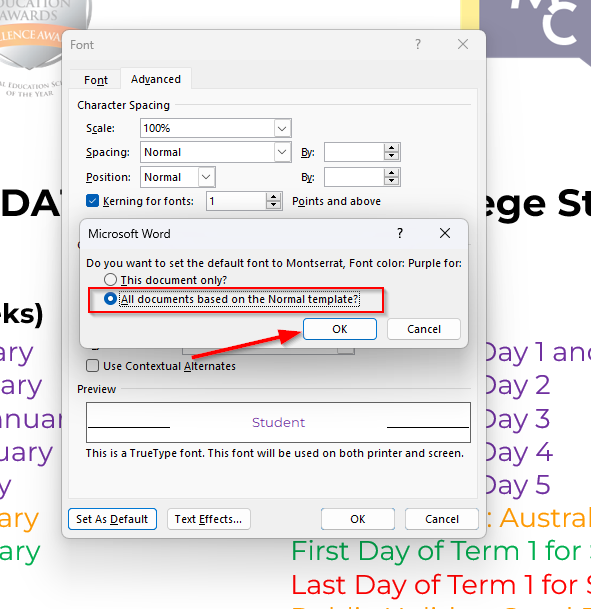
This forces Word to display f + i separately instead of using the buggy fi ligature.
If you run into any issues, please don’t hesitate to log a ticket by emailing it.help@languagedisorder.org.au