Teams - Turning OFF Message Preview
Print
Modified on: Thu, 16 Oct, 2025 at 8:09 AM
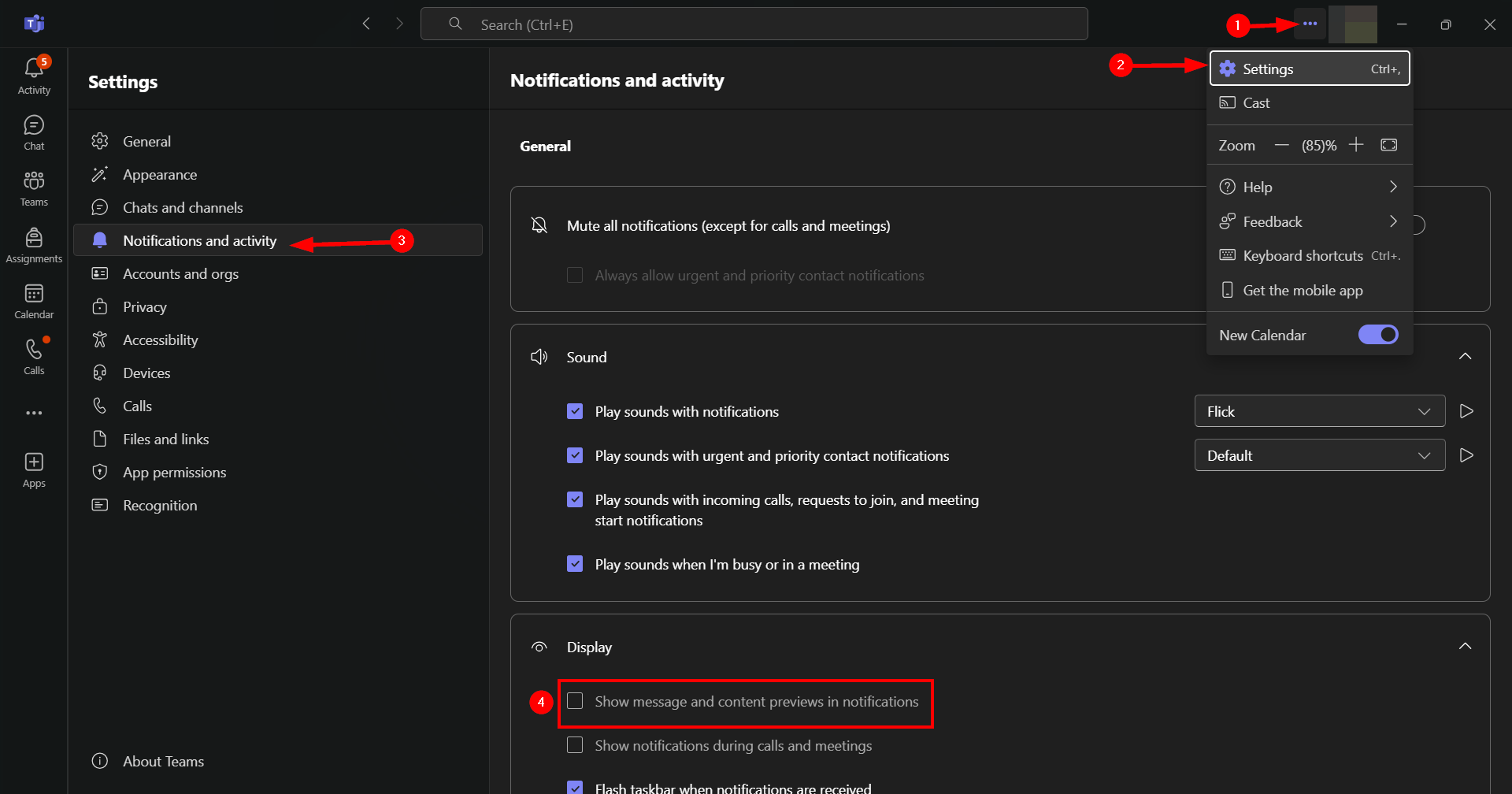
- In teams, navigate to the 3 dots (...) in the top left-hand corner of the screen, never to your avatar. Click on it.
- A menu will drop down, click settings.
- In the Settings menu, located to the left, click on "Notifications and Activity".
- Go to "Display" and untick "Show message and content previews in notifications". Done!
Did you find it helpful?
Yes
No
Send feedback Sorry we couldn't be helpful. Help us improve this article with your feedback.
