
1. Request Google Drive Access
Create a support ticket it.help@languagedisorder.org.au to request permission to access the school’s Google Drive.
2. Access the School’s Google Drive
Once you have permission, use this link: https://drive.google.com
3. Create a New Folder
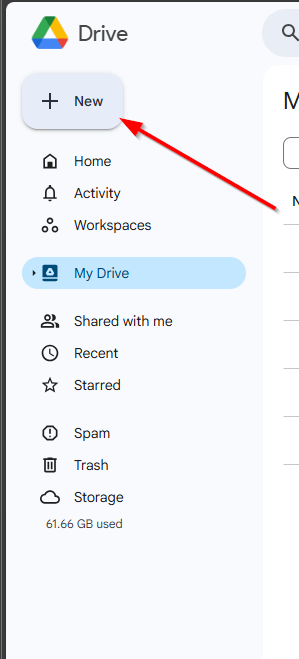
Click the “New” button in the top left corner.
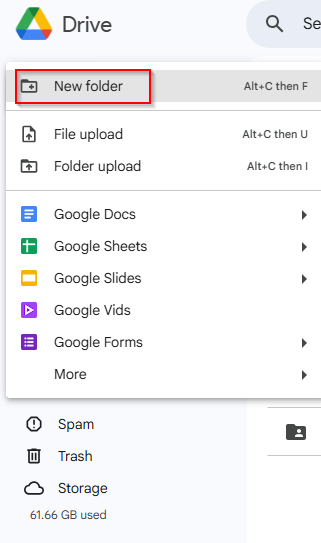
Select “New folder”.
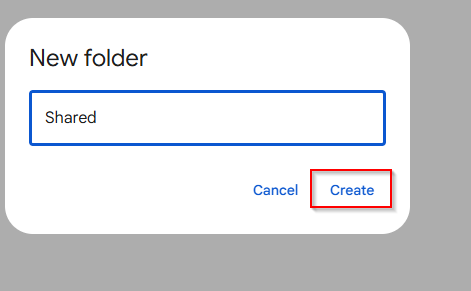
Name the folder Shared so it’s easy to identify.
4. Create a Parents Folder
Open the Shared folder.
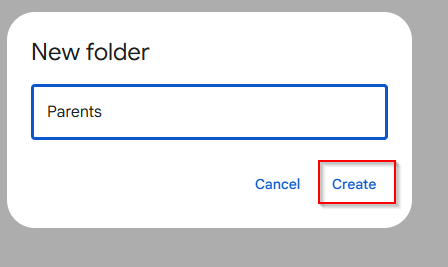
Create another folder inside and name it Parents.
5. Create a Student-Specific Folder
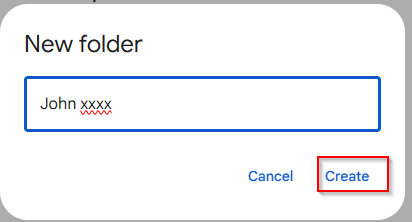
Inside the Parents folder, create another folder with the student’s name.
This keeps files organised and ensures each parent has access only to their child’s materials.
6. Upload Files
Upload the necessary files into the student’s folder.
7. Share the Folder
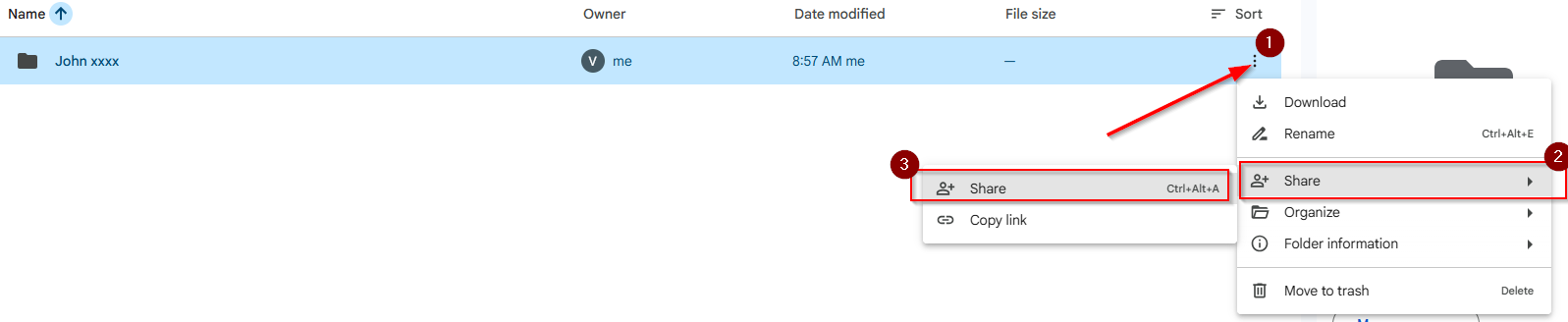
Click the three dots next to the student’s folder and select Share.
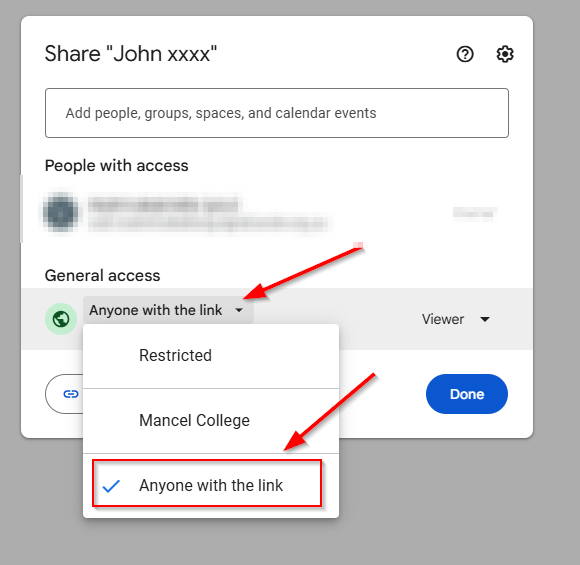
In the sharing settings:
Select “Anyone with the link”.
8. Send the Link to Parents
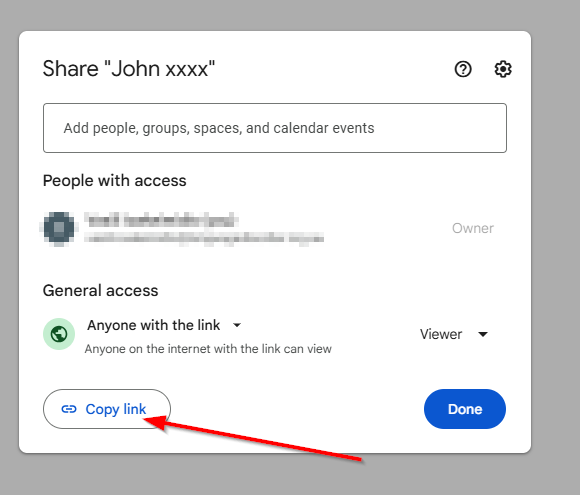
Copy the sharing link.
Send it directly to the parent via email or our school’s communication platform.
Please feel free to contact us if you need assistance at any step it.help@languagedisorder.org.au