How to Upload a LDA Background in Microsoft Teams
Print
Modified on: Thu, 19 Mar, 2026 at 2:46 PM
- Download LDA-Teams-Background from brand central: Language Disorder Australia - Documents - Teams Background - All Documents
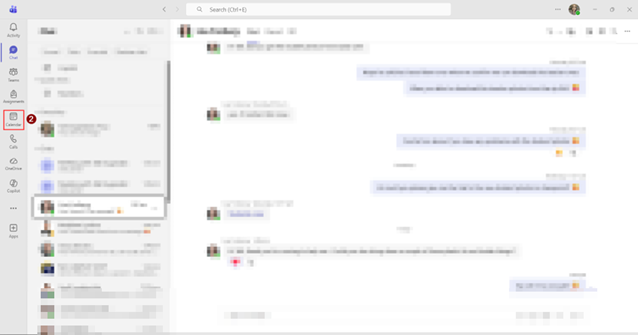
- Open Microsoft Teams. Then, go to Calendar
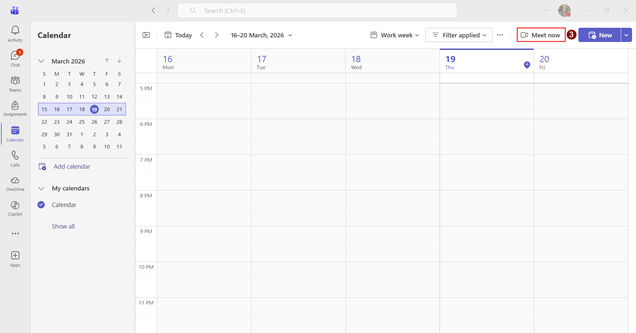
- Click Meet now
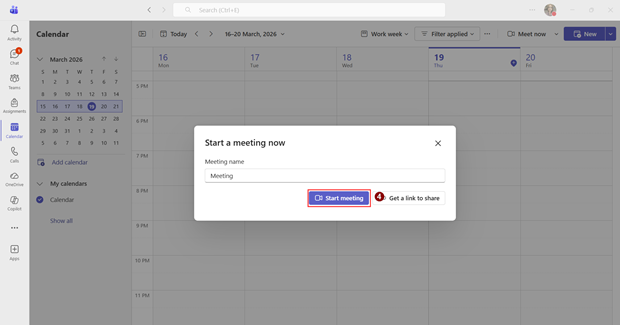
- Click Start meeting
- Toggle camera on
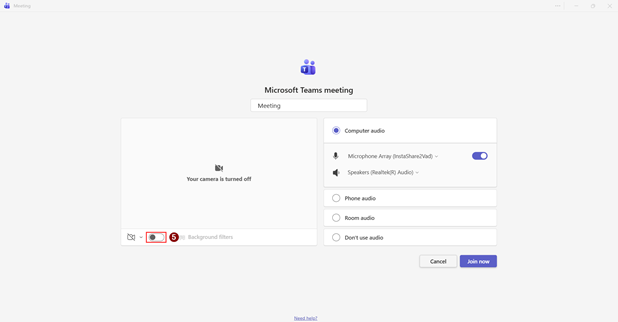
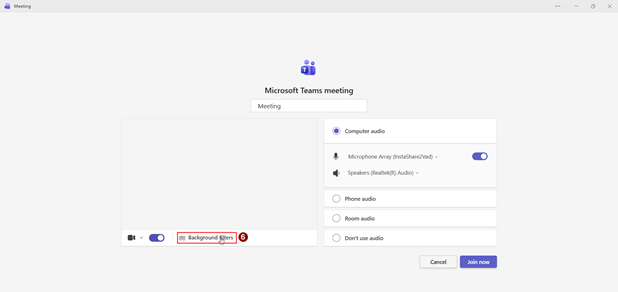
- Click Background filters
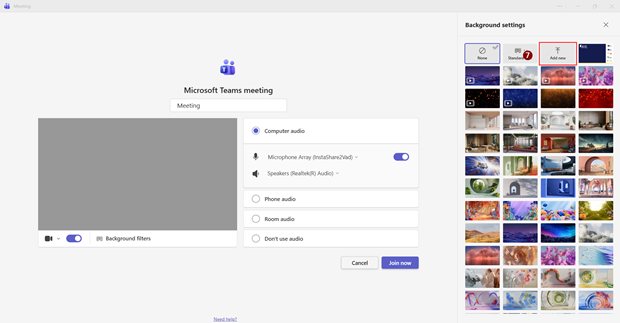
- Click Add new
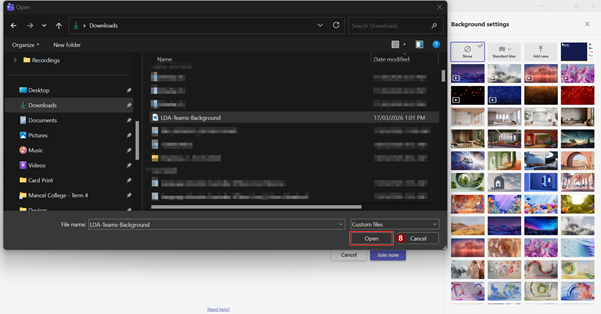
- Upload LDA-Teams-Background
- The background should automatically apply. It will now be available in background settings.
Did you find it helpful?
Yes
No
Send feedback Sorry we couldn't be helpful. Help us improve this article with your feedback.
