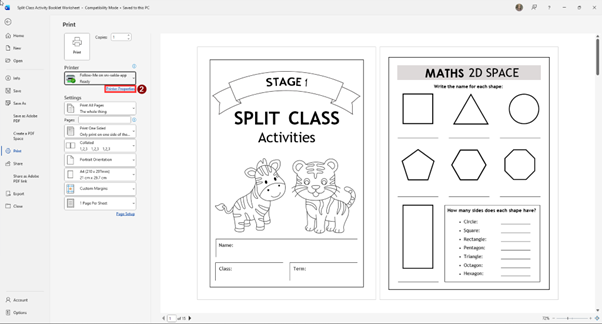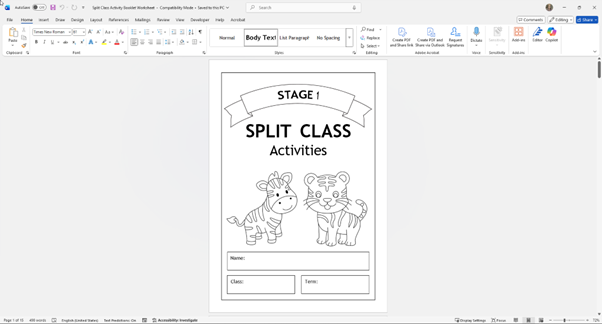
1) Press ctrl + P. 

A screenshot of a computer

AI-generated content may be incorrect.


2) Press 'printer properties'. 

A screenshot of a computer

AI-generated content may be incorrect.


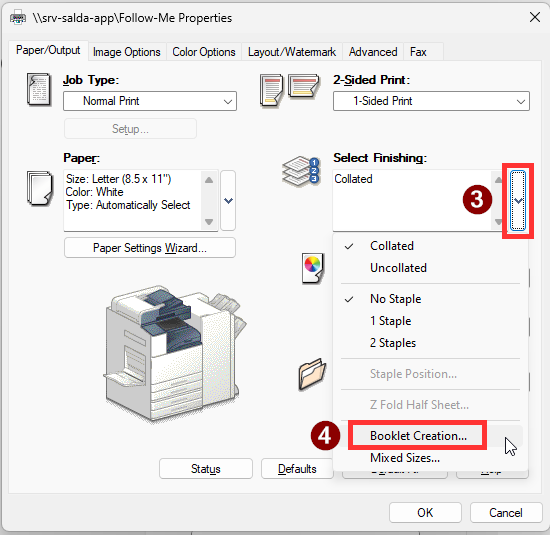
3) Press the dropdown option for 'Select Finishing'. 

4) Press 'Booklet Creation...'. 
A screenshot of a computer

AI-generated content may be incorrect.


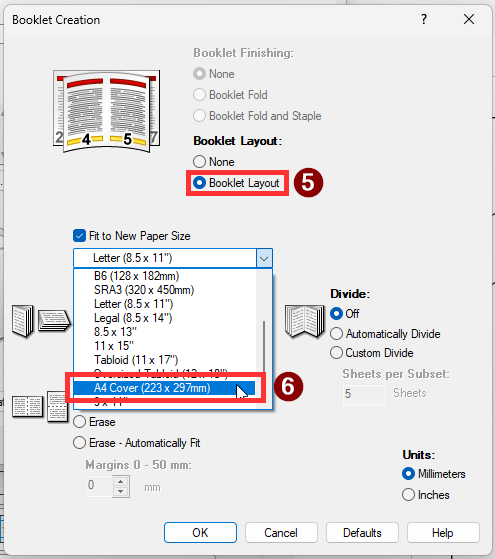
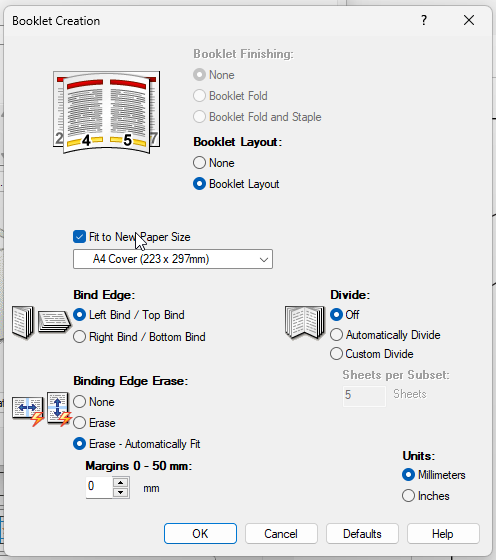
5) Select Booklet Layout. 

6) Select A4 Cover. 
A screenshot of a computer

AI-generated content may be incorrect.


7) You can play around with the rest of the settings to get the desired result. But from here, press OK and print the booklet.  
A screenshot of a computer

AI-generated content may be incorrect.